
 Cube Ecosystem Getting Started

How to select an STM32 microcontroller or board 
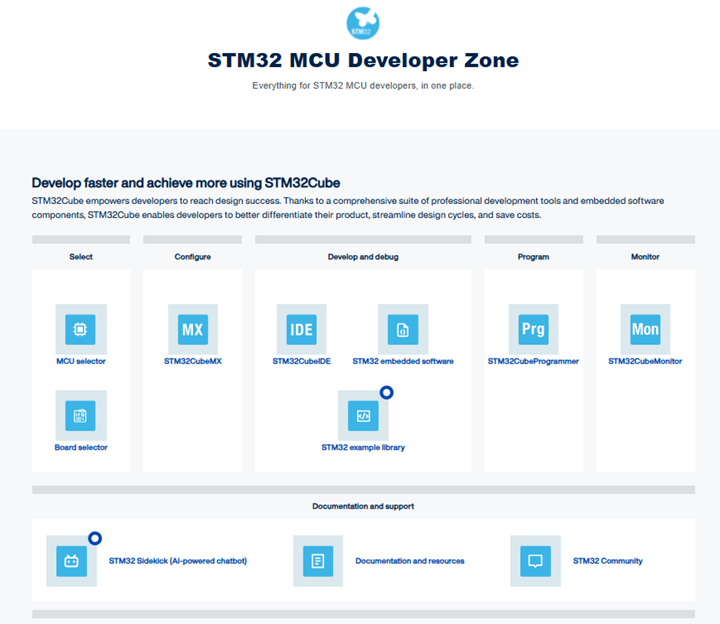
The first step is to select an STM32 microcontroller or an STM32 board according to the application requirements. The selector in the STM32 microcontroller Developer Zone helps select the appropriate microcontroller or board.
The content of the overall ecosystem offer may differ slightly depending on the STM32 series. Select the STM32 device, or at least the STM32 series, before exploring the STM32Cube ecosystem. For the latest STM32 series, the STM32Cube ecosystem is upgraded, moving from STM32CubeMX to the STM32CubeMX2 tool, with a major version increment of the STM32Cube HAL drivers (v2.x.x).
Use filters to narrow the list. For example, start with the core type, core frequency and the flash memory size.
All STM32 boards include an in-circuit debugger and programmer, so no additional hardware tool is required to program the STM32 microcontroller or debug software.
Nucleo boards and Discovery kits have connectors to add extensions, such as Nucleo expansion boards, Arduino® UNO R3 connectors, or Click boards.
Note
The STM32CubeMX tool includes a selector that is not updated with the latest STM32 products. While it may be unreliable for searching microcontrollers or boards, it is still used for selection when starting a new project in STM32CubeMX.