
 STM32CubeMX2

Code preview 
Code preview 
The Code preview panel in STM32CubeMX2 provides the following features and capabilities (see Code preview):
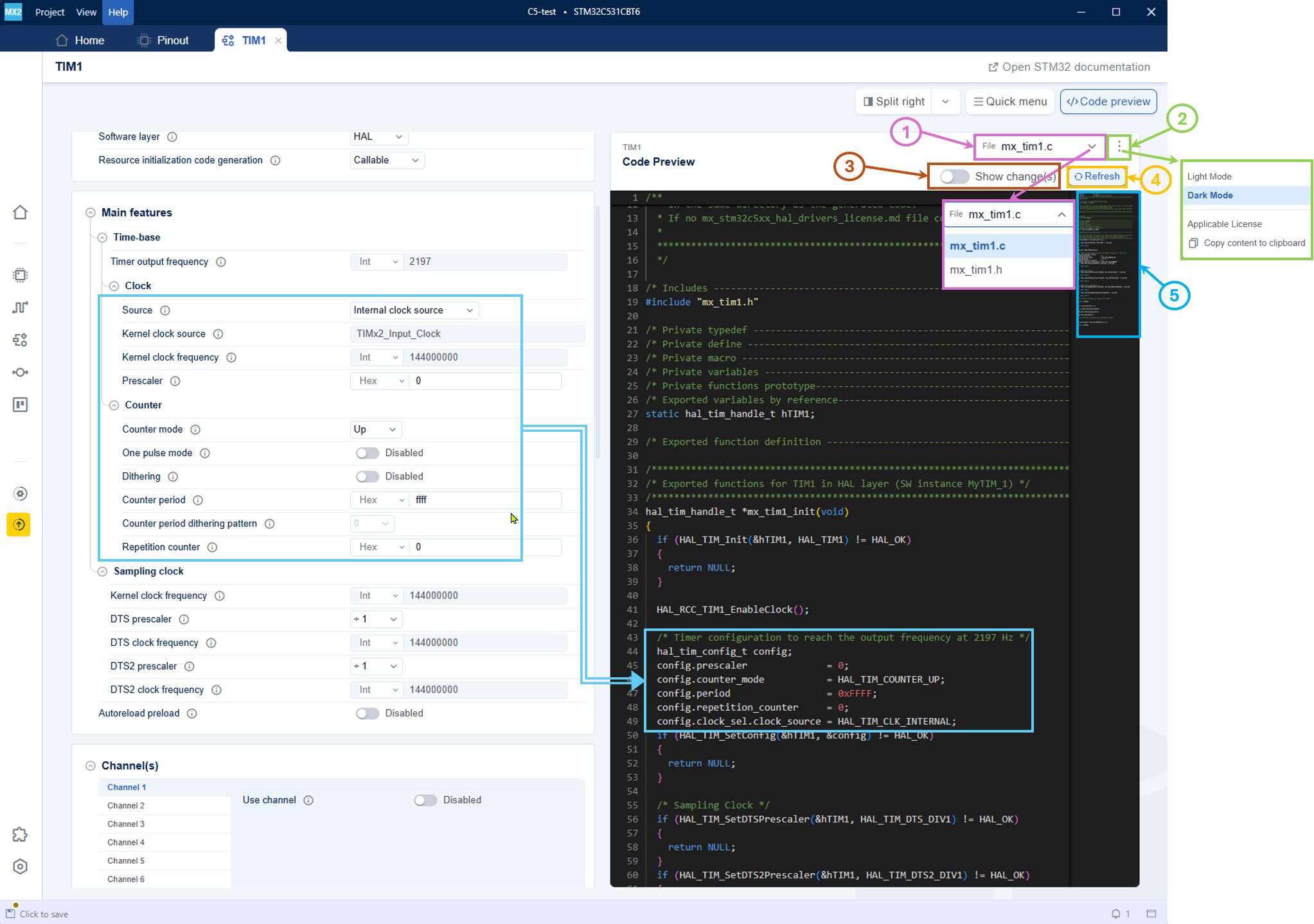
Code preview 
File selection (1): The file selection dropdown allows the user to toggle between .h and .c files.
Settings menu (2): The settings menu provides options such as toggling between Light Mode and Dark Mode, applicable license, and copy content to clipboard.
Show change(s) (3): When enabled, it displays the code differences with color highlighting (see Code preview Diff):.
Refresh view (4): The code preview is refreshed automatically in real time reflecting the latest changes made in the configuration settings. The Refresh button remains available as a reassurance in case of any doubt.
Minimap (5): The minimap allows users to navigate through the preview file.
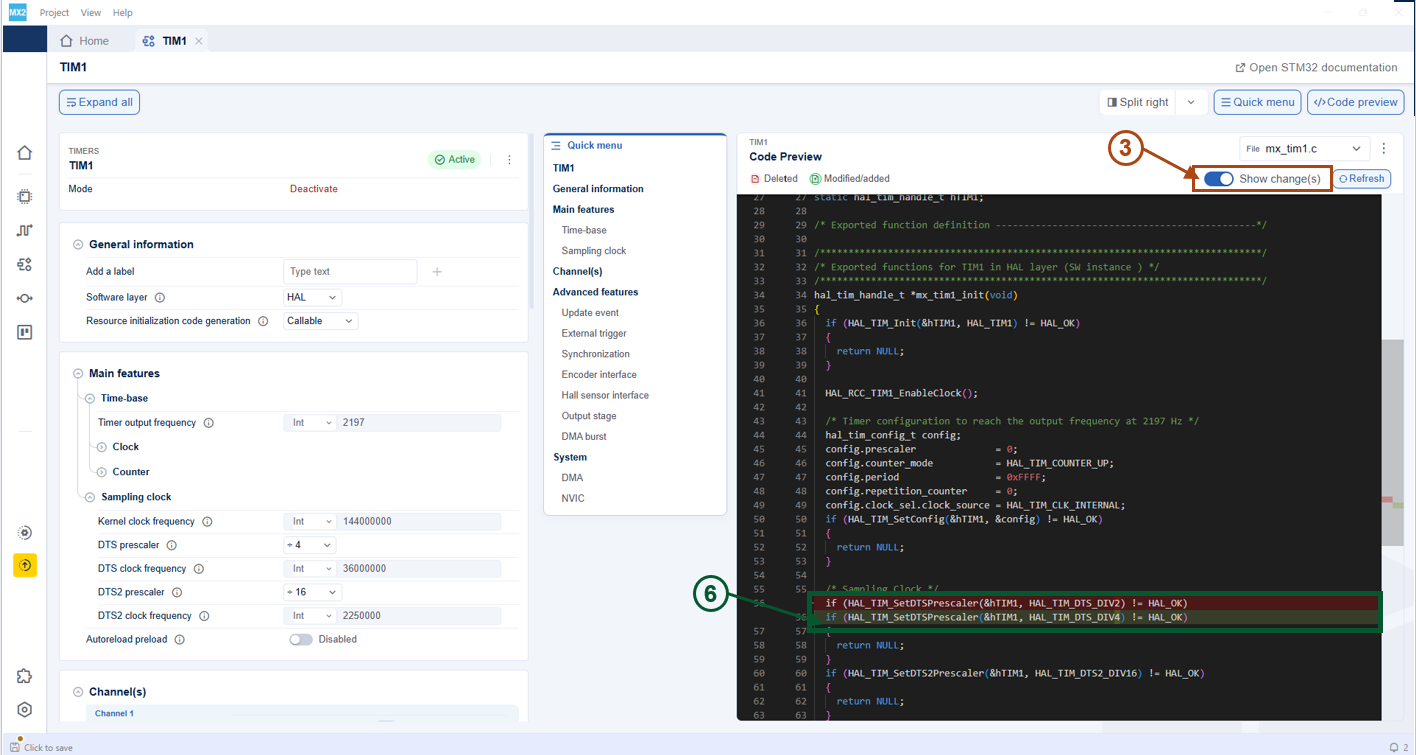
Show Code preview Diff 