
 STM32CubeMX2

Code preview 
Code preview 
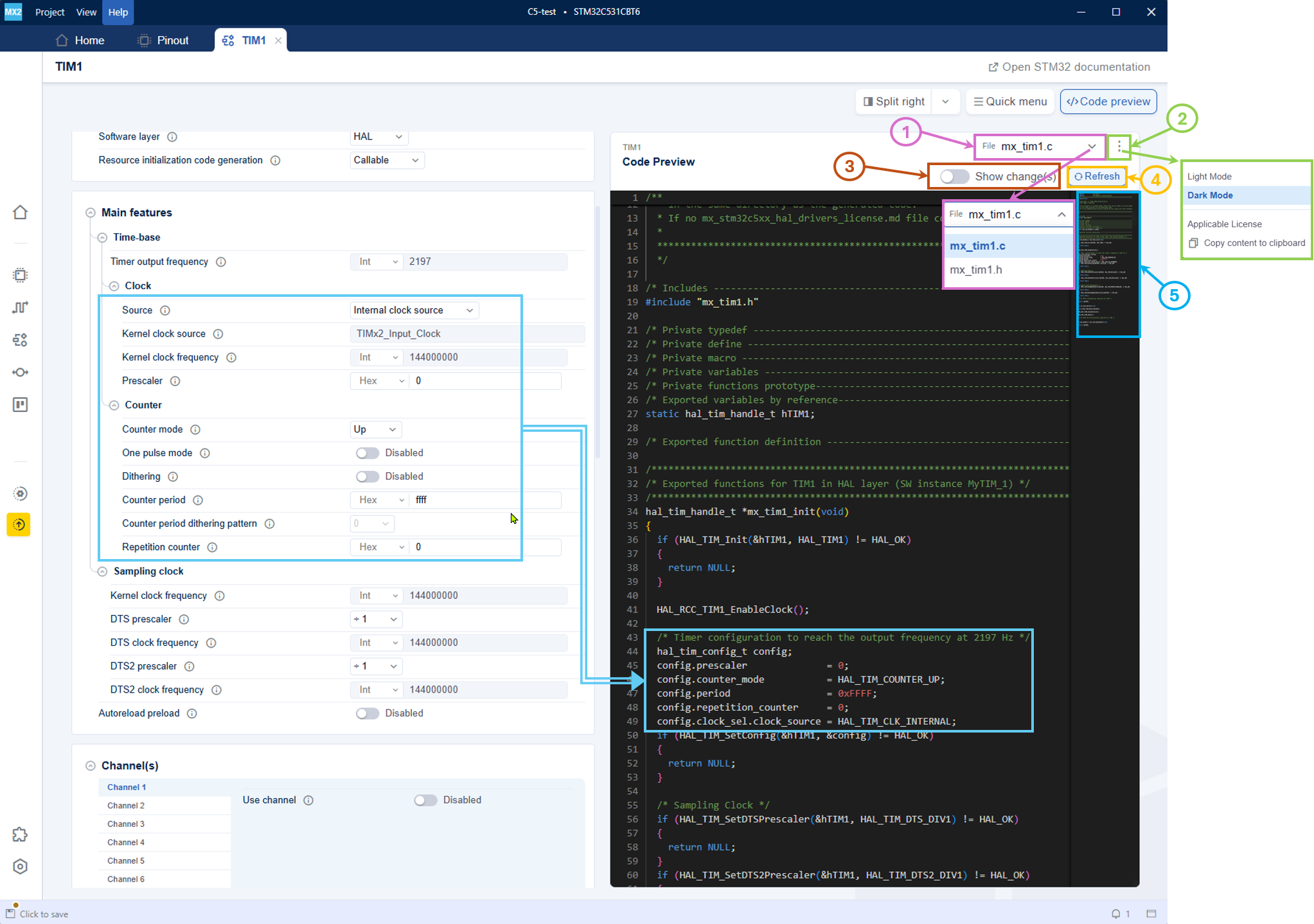
The Code preview panel in STM32CubeMX2 provides the following features and capabilities (see Code preview):
Code preview 
File selection (1): The file selection dropdown allows the user to toggle between .h and .c files.
Settings menu (2): The settings menu provides options such as toggling between Light Mode and Dark Mode, applicable license, and copy content to clipboard.
Show change(s) (3): To show changes after the modification of a parameter.
Refresh view (4): The refresh button updates the static code preview to reflect the latest changes made in the configuration settings.
Minimap (5): The minimap allows users to navigate through the preview file.