
 STM32CubeMX2

EXTI 
The EXTI view displays a read-only list of available EXTI lines. The EXTI lines are enabled through the GPIO configuration.
The EXTI view is accessible from the peripheral view. In the EXTI view, users can perform the following actions:
Search (1): Find specific EXTI lines by name or description.
Filter (2): Display only the used EXTI lines.
Display EXTI lines (3): Show the list of all available EXTI lines.
Sort (4): Sort the list of EXTI lines.
Columns table settings (5): Customize the columns displayed in the table view by enabling or disabling specific columns as needed.
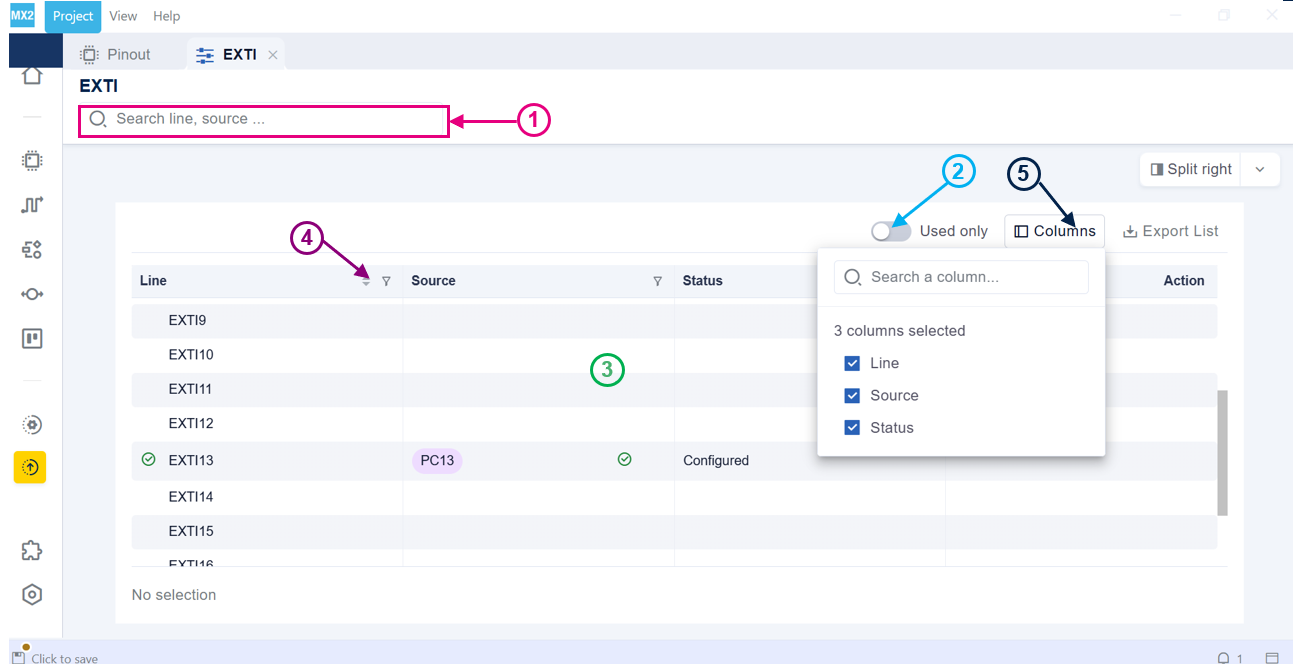
EXTI view 