
 STM32CubeMX2

Settings and preferences 
Settings 
The settings window can be accessed in two ways:
In the left bar (1): Click the gear icon at the bottom of the left bar.
In the menu bar (2): In the menu bar at the top of the application window, select Project → Preferences → Settings (Ctrl and the comma key(Ctrl + ‘,’)).
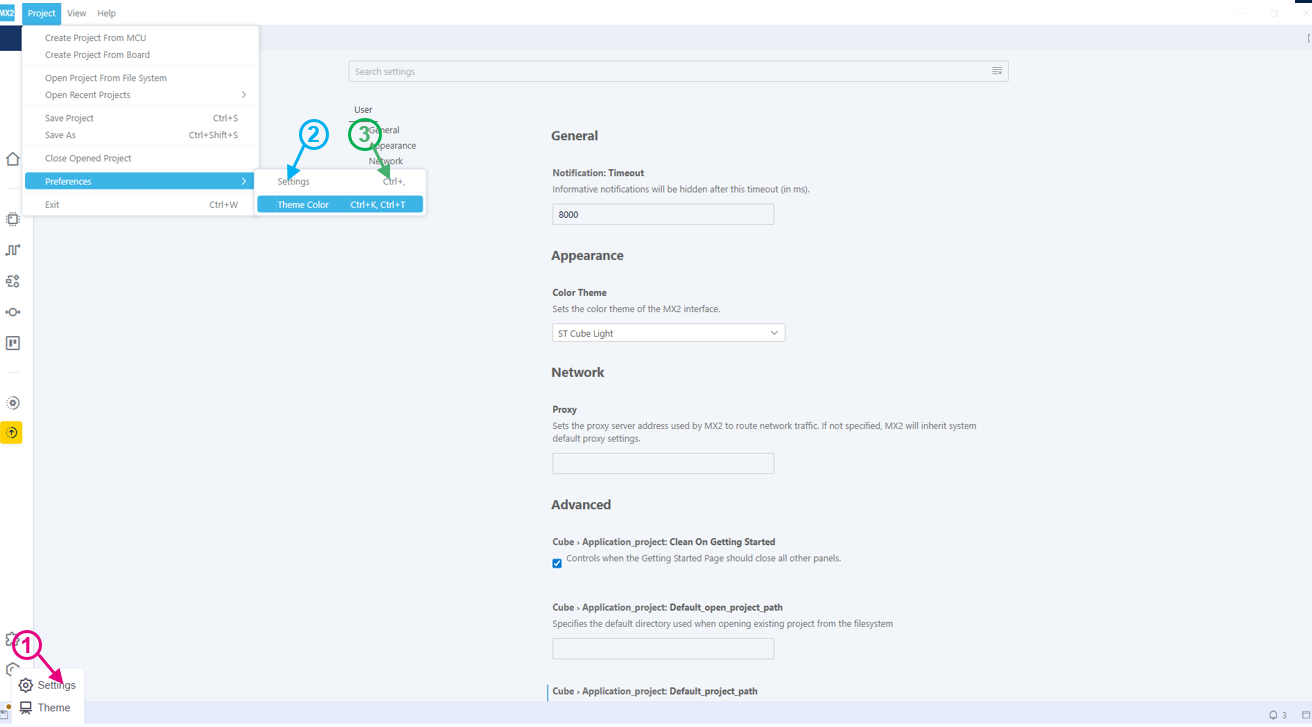
Settings window 
Theme color 
To customize the application appearance:
Open the settings by clicking the gear icon in the bottom-left corner (1).
Select from available themes (2):
Light themes.
Dark themes.
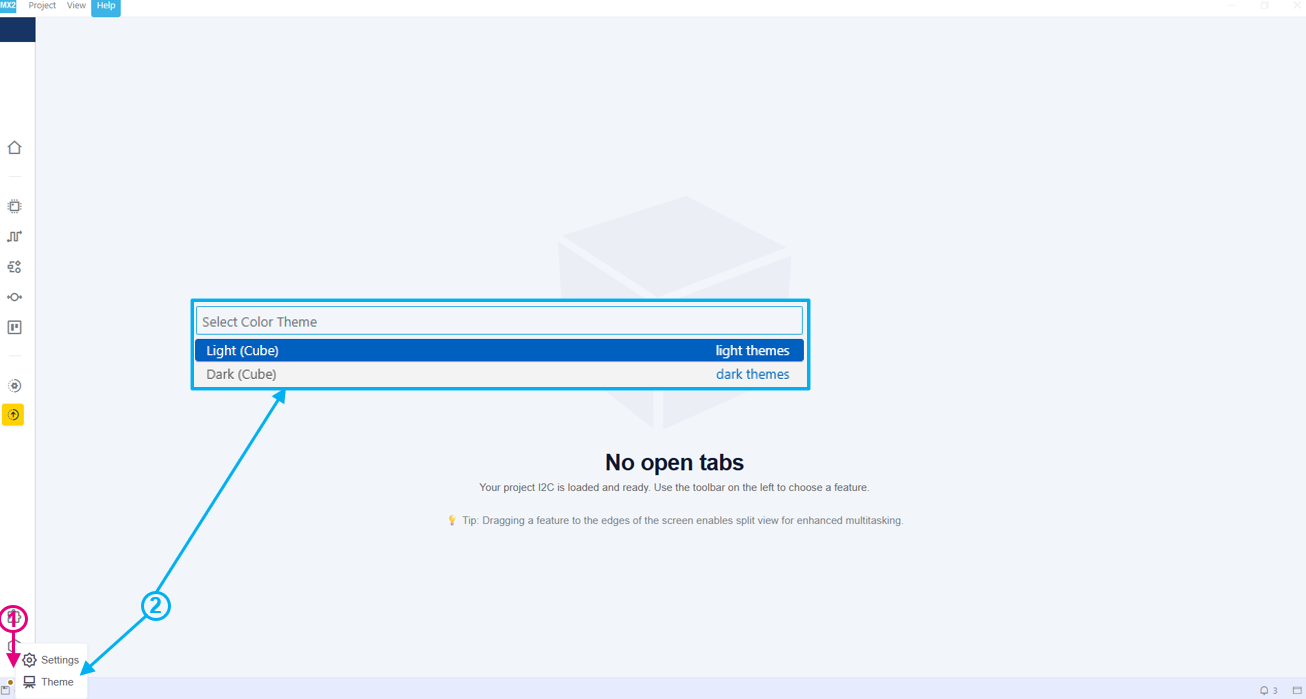
STM32CubeMX2 themes 