
 STM32CubeMX2

Project settings 
The project settings page includes:
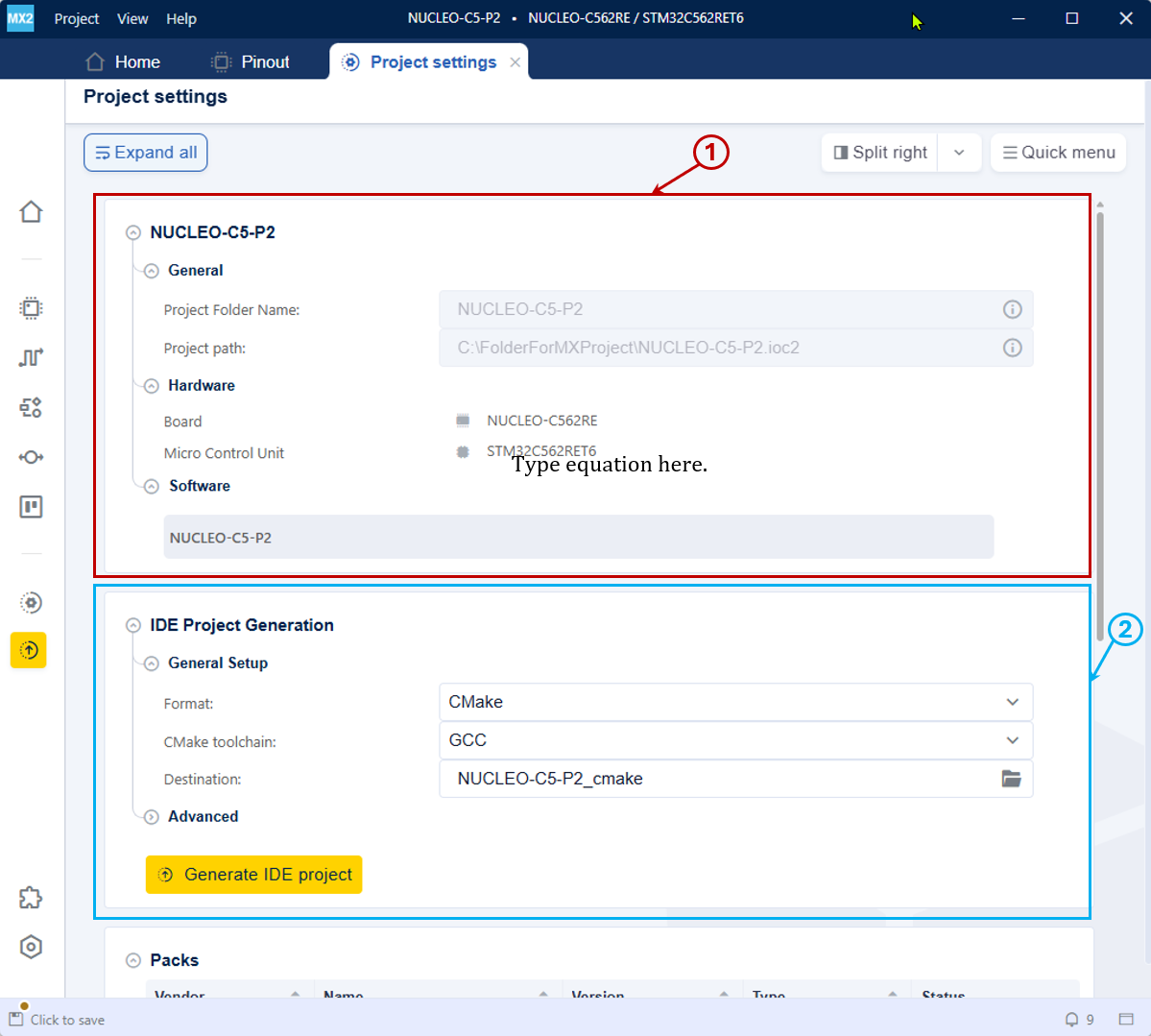
IDE settings and Project details - project details & system init settings 
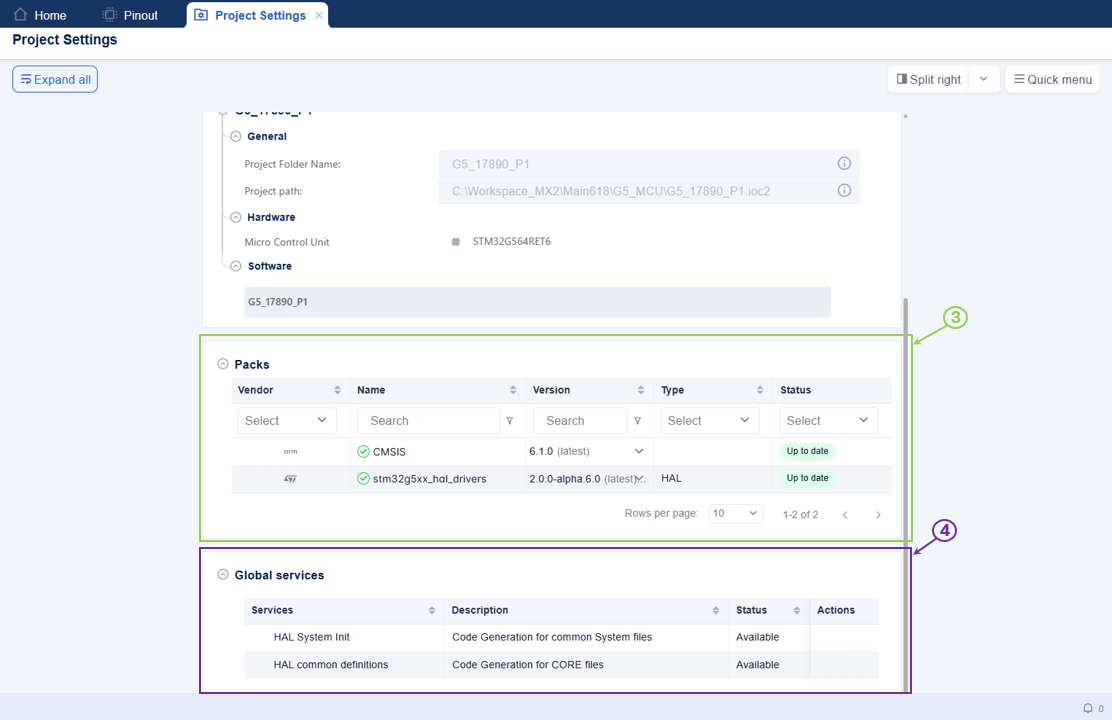
Packs details and Global Services (HAL Common & System Init settings) 
Project details (1): Displays the project details, including the project name, location, and selected device.
IDE project generation settings (2): Manages the IDE project. Check the IDE project generation for more details.
Packs details used in the project (3): Manages the versions of packs used in the project. For more information, see Packs details used in the project.
Global Services (4): Manages HAL Common and System Init parameters. Configure HAL System Init and HAL Common definitions by clicking the respective configuration button. For more information, see Global Services configuration.
Note
Use the scroll bar on the right side to navigate the page.
Global Services configuration 
The Global Services section in the Project settings page allows users to configure the HAL Common definitions and HAL System Init parameters for the STM32CubeMX2 project. See HAL System init configuration flow.
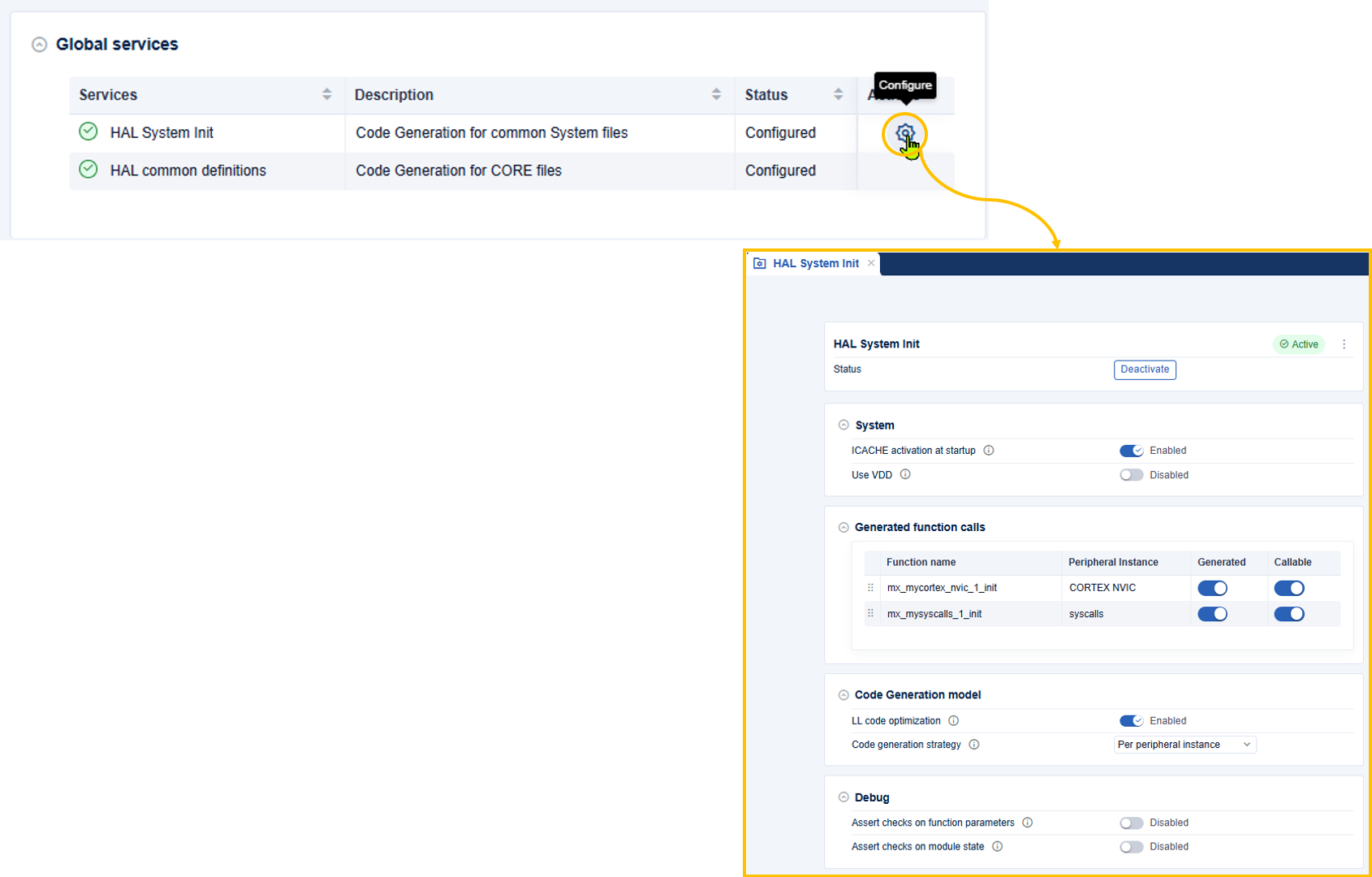
HAL System init configuration 
Packs details used in the project 
The Packs details used in the project section allows users to update packs to a newer version for the STM32CubeMX2 project. See Packs details used in the project flow.
If a new pack is available, STM32CubeMX2 indicates that an update is possible by displaying the available pack version in the status column. Select the desired pack version from the dropdown list in the version column. Finally, click the Update button to apply the selected pack version to the project.
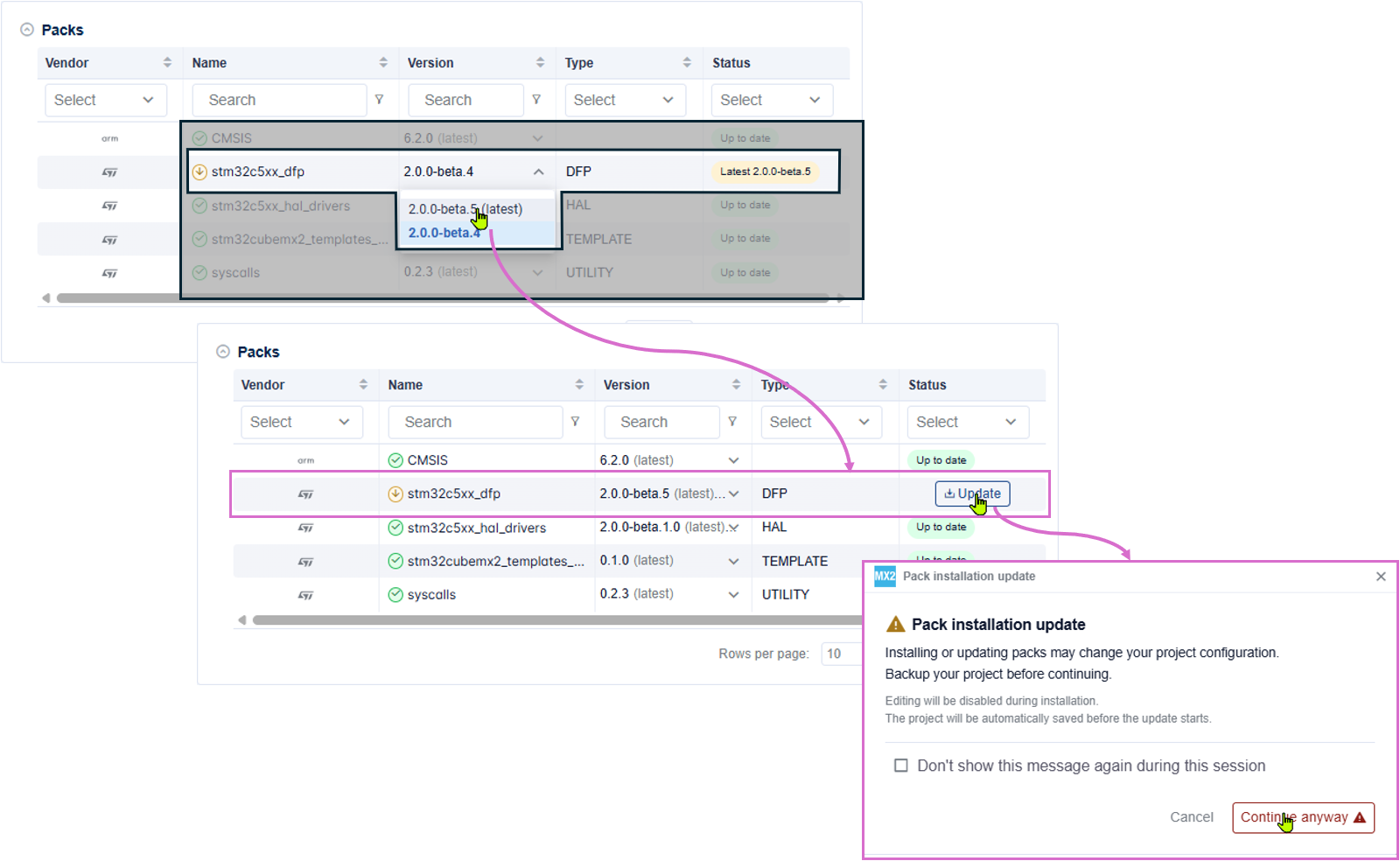
Packs details used in the project 