
 STM32CubeMX2

DMA 
This interface displays the DMA channels. The DMA view is accessible from the peripheral view and provides the following features and capabilities (see DMA system view) :
Select DMA controller (1): Toggle between DMA controllers to manage channels, including reserving or configuring channels.
Hide unused channels (2): Hide unconfigured channels to focus on active or reserved channels.
Columns (3): Update the list of visible columns.
Filter & search (4): Use dropdown menus and input fields to filter and search through the displayed channels.
Requests(5): View the list of requests associated with each channel, potential conflicts, and reservation status.
Manage DMA requests through Actions column (5.1): Reassign DMA requests from one channel to another by moving or switching them. This allows for better management of DMA resources and helps resolve conflicts by reallocating requests to available channels.
Manage DMA requests through Request column (5.2): Reserve or move DMA requests.
Go to Configuration (6): Open the peripheral configuration for the selected DMA channel in a new tab.
Reset Channel (7): Remove the reservation for a channel and return it to its default state.
Note
The Reset Channel option is grayed out when a channel is configured and used by a peripheral. This functionality is available only for channels in the reserved state or for memory-to-memory configurations.
Split (8): Split the tab into two separate views for better visibility.
Toggle detail view panel (9): Toggle the detail panel for the selected DMA controller and its channels (see DMA system view - detail view).
Open STM32 documentation (10): Open the STM32 documentation related to the selected DMA controller and its channels.
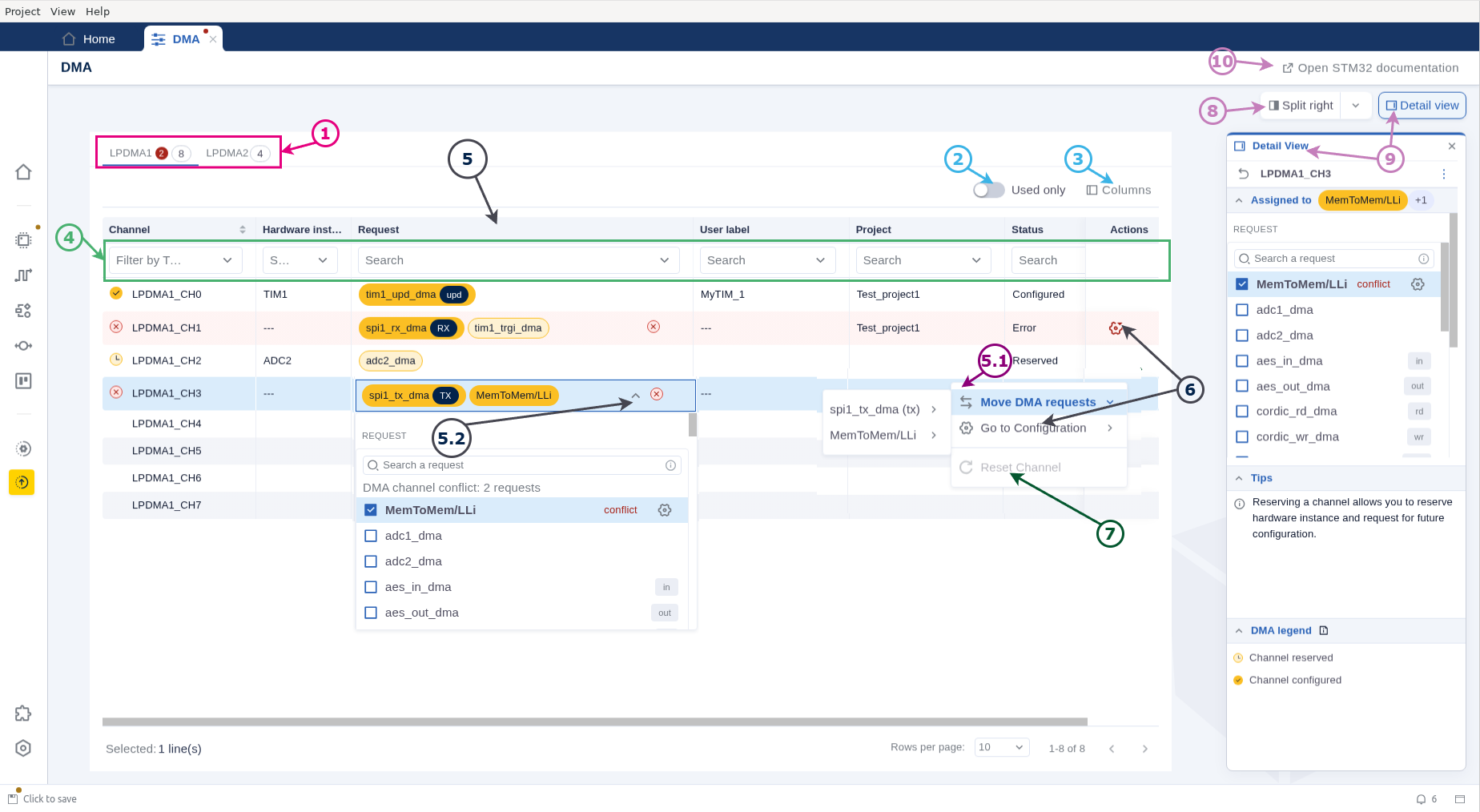
DMA system view 
The detail view provides the following features and capabilities:
List of available channels (1): If no channel is selected, the panel displays all channels of the DMA controller and their statuses (see left side of the DMA system view - detail view). Conflicts per channel are visible.
Tips section (2): Provides guidance and contextual information about the DMA configuration process.
DMA legend (3): Explains the status of channels with visual indicators.
Channel reservation (4): When a specific channel is selected, the panel shows detailed information about it, including its current assignment. You can reserve a signal for future configuration, view existing configurations, reset the channel, or unassign reserved channels.
Return to all channels (5): Switch the view back to the main detailed view.
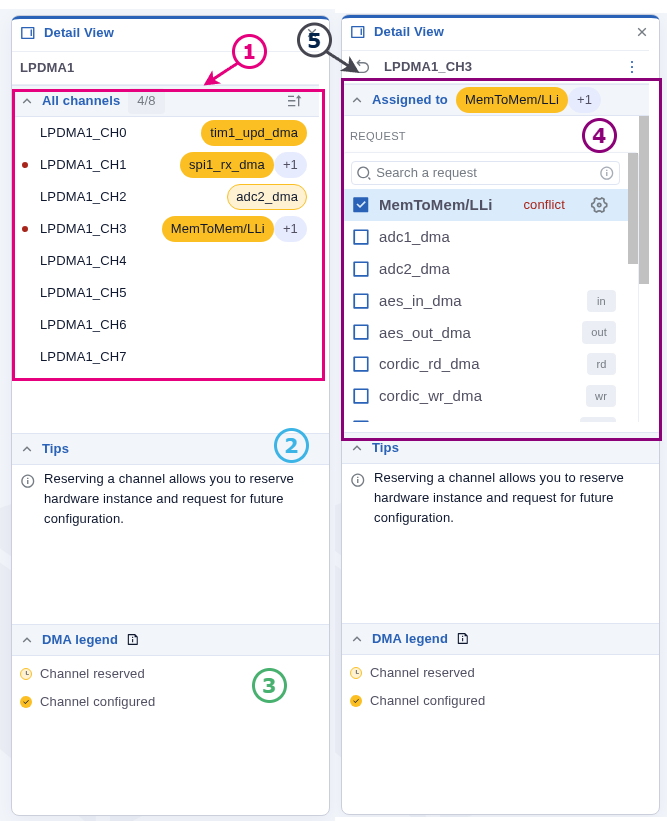
DMA system view - detail view 
Note
Actions menu is also available in the detail view to move, swap, reset, or go to configuration.