
 USBX
USBX
How to use USBX 
Use this section when you want to configure, initialize, and integrate USBX in an STM32 project.
If this is your first USBX project, do not start by changing every setting. Start by choosing the USB role, then select one class, then generate and verify a minimal project before increasing memory limits or enabling more classes.
The detailed pages below follow one practical flow:
-
Configure USBX either manually or from STM32CubeMX2.
-
Review the initialization flow for
No OSorFreeRTOSmode. -
- Complete the STM32 controller and descriptor integration when the default
-
templates are not enough.
Quick workflow in STM32CubeMX2 
The usual USBX flow in STM32CubeMX2 is:
-
Enable USBX middleware in the project.
-
Keep the profile on
Default. -
Select whether the project runs in
No OSorFreeRTOSmode. -
Choose device mode, host mode, or both depending on your use case.
-
Enable only the USB classes required by your application.
-
Configure the applicative memory and generated thread options.
-
Select the USB peripheral instance that will be used by USBX.
-
Generate the project and review the generated
mx_usbx_*files,ux_user.h, and, for device mode,ux_stm32_device_descriptors_config.h.
Role choice reminder 
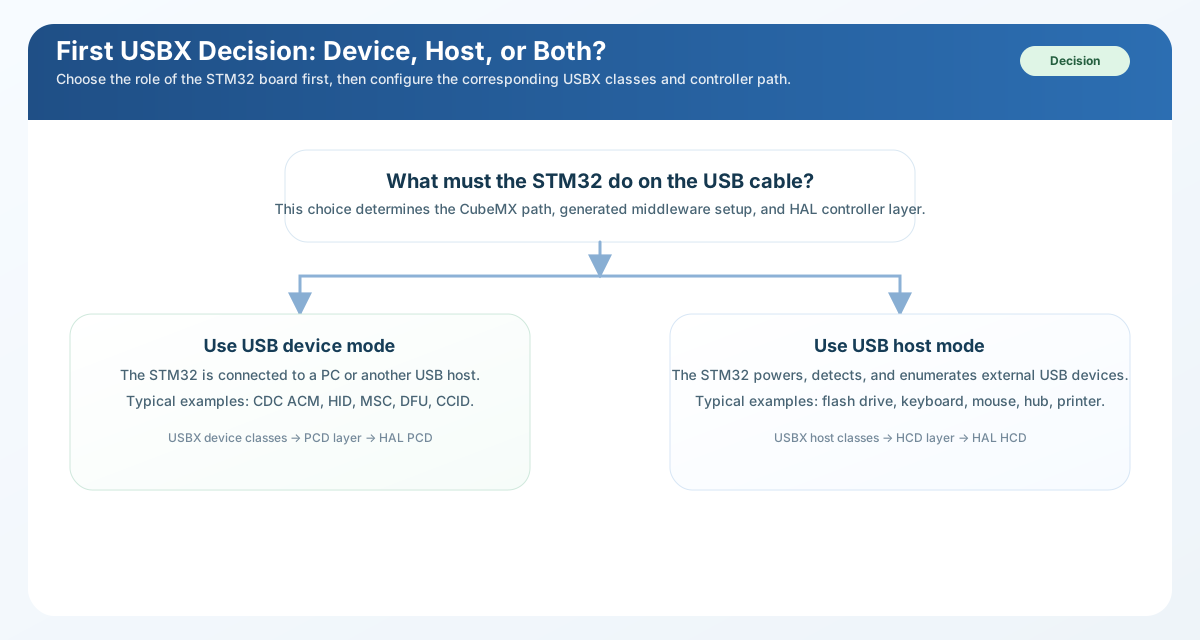
Choose the USB role first. Device mode, host mode, and dual-role designs do not use the same controller path, power assumptions, or class registration flow. 
Before generating code, confirm the main dependencies and the main outputs:
-
FreeRTOSmode requires the RTOS middleware and its required advanced APIs. -
- Device mode requires a valid USB device peripheral configuration and the HAL
-
PCDsupport.
-
- Host mode requires a valid USB host peripheral configuration and the HAL
-
HCDsupport.
-
- MSC host projects also need a storage strategy, either through FileX or
-
through the no-FileX host-storage path.
-
-
mx_usbx_app.candmx_usbx_app.hfor the common USBX application -
entry points such as
app_usbx_init(),app_usbx_deinit(), and, inNo OSprojects,app_usbx_process()
-
-
-
mx_usbx_device.candmx_usbx_device.hwhen device-side init-code -
generation is available for the selected configuration; these files carry device-role functions such as
app_usbx_device_init(),app_usbx_device_deinit(), and, inNo OSprojects,app_usbx_device_process()
-
-
-
mx_usbx_host.candmx_usbx_host.hwhen host-side init-code -
generation is available for the selected configuration; these files carry host-role functions such as
app_usbx_host_init(),app_usbx_host_deinit(), and, inNo OSprojects,app_usbx_host_process()
-
-
- class-specific source and header files for the enabled device or host
-
classes; these files contain class callbacks and class-specific helper data, not the common USBX entry points
In
                No


                OS
projects, the application must still call the generated USBX
processing path regularly. In
FreeRTOS
projects, the generated application
layer can also include USBX worker thread configuration for the active roles.
Where to go next 
-
- How to configure USBX explains the USBX folder layout, the manual
-
integration rules, the STM32CubeMX2 configuration flow, and where the pack templates generate project files.
-
- How to initialize USBX explains the manual and generated initialization
-
sequences for device mode, host mode, and dual-role projects.
-
- How to write a USBX low-level interface explains how the STM32 USB controller
-
adapters and descriptor layers fit between USBX and the HAL.
Workflow view 
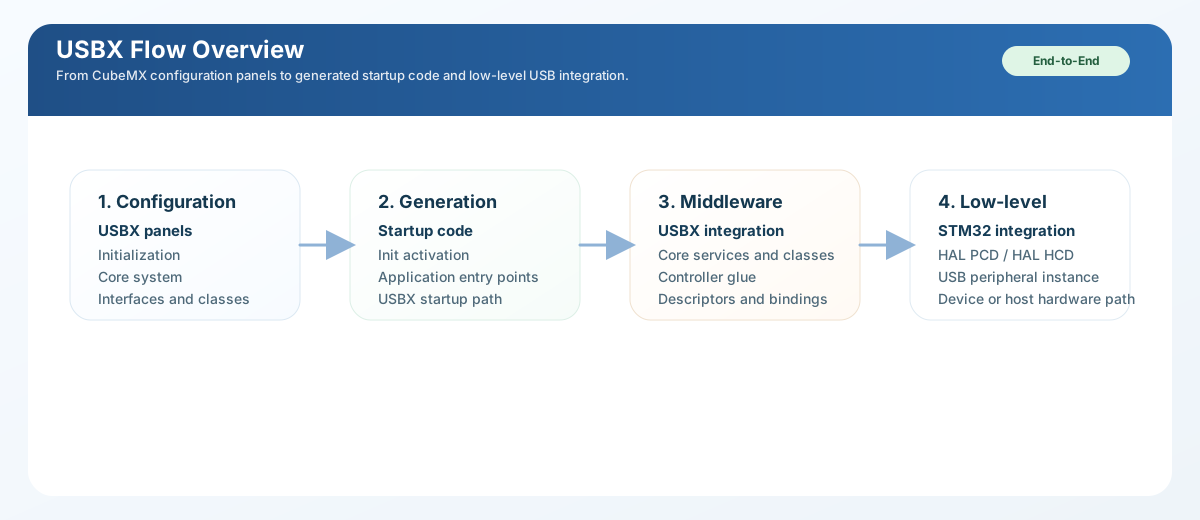
USBX workflow from role selection and STM32CubeMX2 configuration to generated startup code, class callbacks, and STM32 low-level integration. 