
 STM32CubeMX

STM32CubeMX documentation 
Welcome to the documentation portal for STM32CubeMX.
This document covers the STM32CubeMX tool only.
For information about STM32CubeMX2, see the STM32CubeMX2 documentation.
To understand which STM32 series are supported by STM32CubeMX or STM32CubeMX2, see the STM32CubeMX page on ST website.
Introduction 
STM32CubeMX is a software tool for STM32 products. It is available as a standalone application and offers several important features:
Project creation and opening: Create a new STM32 project from a selected MCU, board, or existing project, and reopen saved projects.
Fast hardware configuration: Configure pins, clock tree, system settings, and basic MCU features quickly through the graphical interface.
Peripheral setup: Enable and configure STM32 peripherals such as GPIO, USART, SPI, I²C, timers, ADC, DMA, and more.
Middleware configuration: Activate and configure supported middleware, such as FreeRTOS, USB, LWIP, FatFs, and others, depending on the device and installed packages.
Code generation: Generate initialization code and a complete project structure for supported IDEs/toolchains.
Pack management: Check, install, uninstall, and update software packs.
User code areas: Inspect generated code structure and use the protected USER CODE sections to customize the application safely.
Project export and integration: Export to supported development environments and integrate with the STM32Cube ecosystem.
Note
Software packs are bundles of software components, libraries, drivers, middleware, and utilities. They facilitate development for specific hardware platforms. These packs use the open standard Open-CMSIS format. This format provides a uniform structure and management.
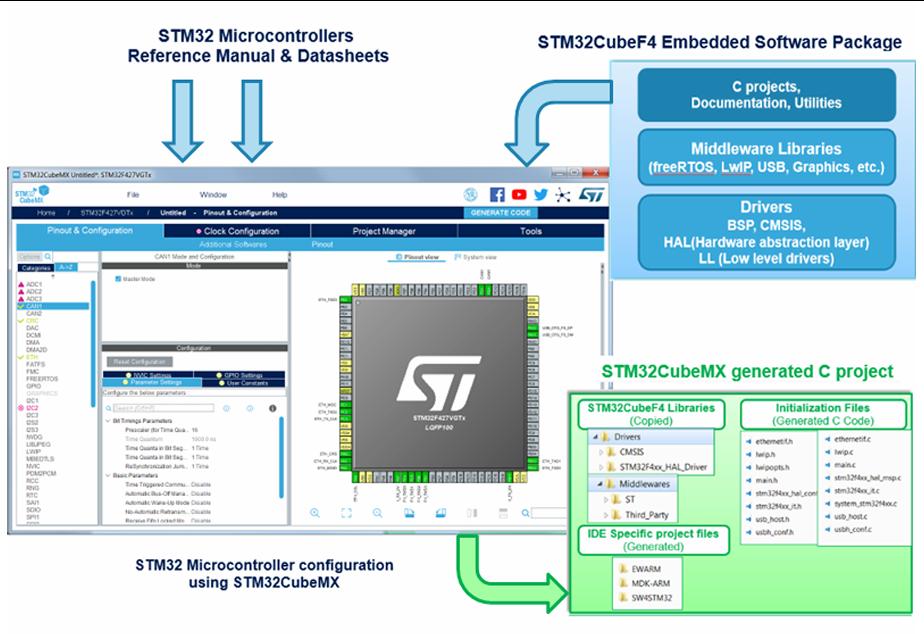
STM32CubeMX overview 
Documentation 

Explore STM32CubeMX views and features such as Pinout, Clock, and Code Generation.

Find Release details and limitations.

Learn basic cube commands to manage STM32CubeMX via CLI.

Find previous versions of release notes and user manual

Find Get support, and provide feedback.

Find Frequenly Asked Questions.