
 STM32CubeMX2

Pack manager 
This panel enables users to manage software packs that are required to develop applications with different STM32 microcontrollers.
Pack manager access (1): Use the left bar to open the pack manager and manage available software packs.
Search and filter (2): Use the top section of the panel to search for specific packs and filter packs by various criteria.
- Pack management (3.1): Use the Action column to
Install, update, remove packs.
View license information for installed packs.
The Status column indicates whether a pack is Not installed, Up to date, or Update available.
Pack management (3.2): The Compatible column indicates whether a pack is compatible with the current version of STM32CubeMX2.
Detail view toggle (4): Use the detail view to display additional information about each pack, such as the description, release version, and release date.
- Local pack installation (5): Use this button to browse local storage and select an item for installation from one of the following options:
Install one or more local CMSIS-Pack .pack files.
Install from an STM32 MCU package archive .zip file that the STM32 Package Creator tool generates and that is available on st.com.
Install from an STM32 MCU package folder that the STM32 Package Creator tool generates and that is available on st.com.
Refresh button (6): Use this button to update the list of available software packs.
Columns (7): Use this button to update the list of visible columns.
Access to licenses (8): Use this button to view all licenses for all packs before download.
Split (9): Use this button to split the tab into two separate views for improved visibility.
Pagination controls (10): Use the pagination controls to navigate through pages.
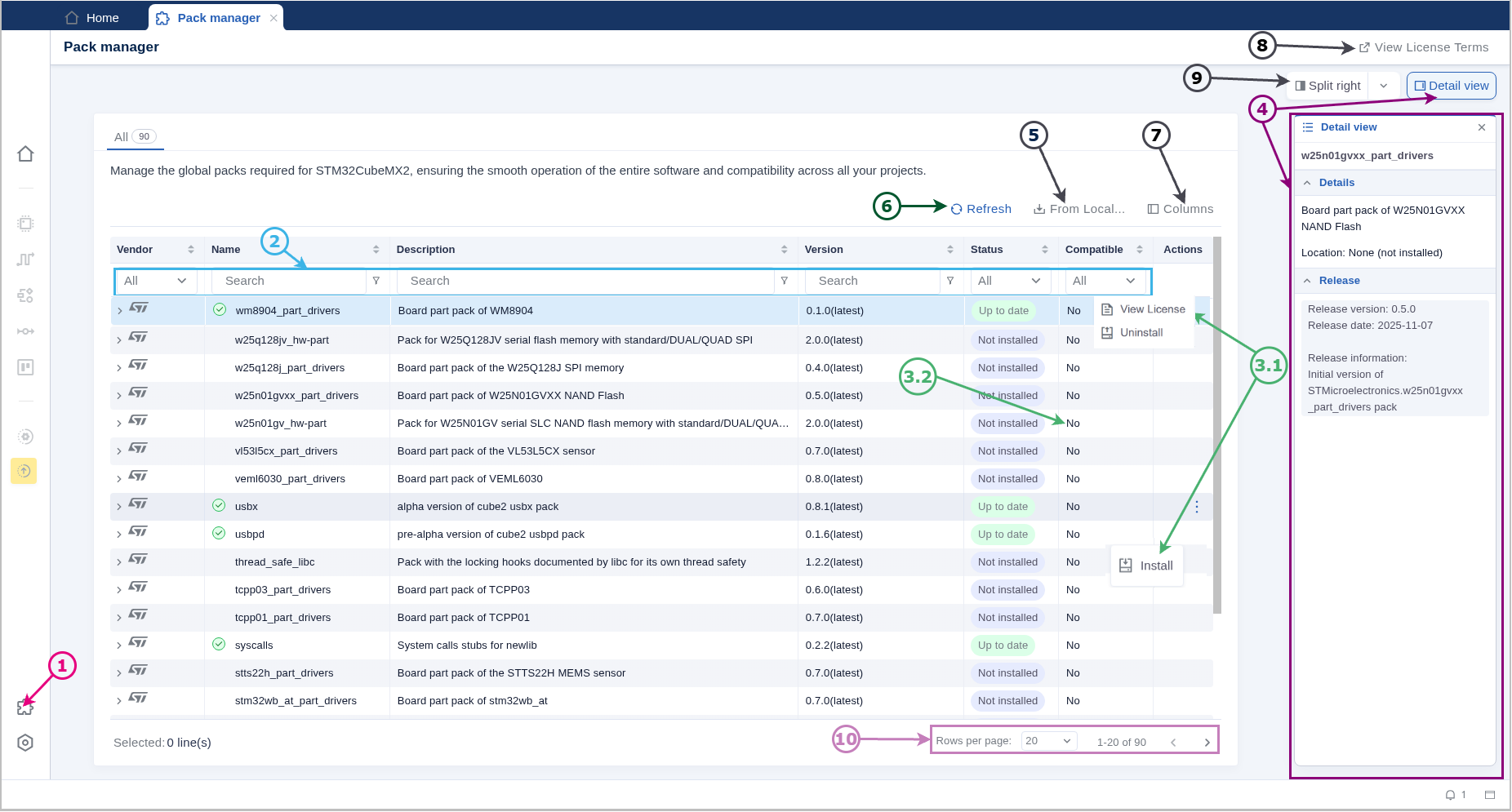
Pack manager panel 