
 HAL2 Migrator

Configure IDE Project Settings 
This section provides guidance on configuring the IDE project settings to enhance the development workflow and ensure alignment with project requirements.
Now, after generating the new project using STM32CubeMX2 , you will use it as a reference to:
Update the IDE settings.
Update the generating device files (startup file and linker script).
Update the initialization sequences (system clock, NVIC, GPIO, DMA, and peripheral initialization).
1. Replace HAL1 drivers by HAL2 
Within duplicated project, replace the HAL1 drivers by HAL2 drivers.
HAL2 drivers Paths :
LL drivers’ path: “STM32Cube_SW_Package_C5_2.0.0 \ stm32c5xx_drivers \ ll”
HAL drivers’ path: “STM32Cube_SW_Package_C5_2.0.0 \ stm32c5xx_drivers \ hal”
DFP drivers path: “STM32Cube_SW_Package_C5_2.0.0 \ stm32c5xx_dfp”
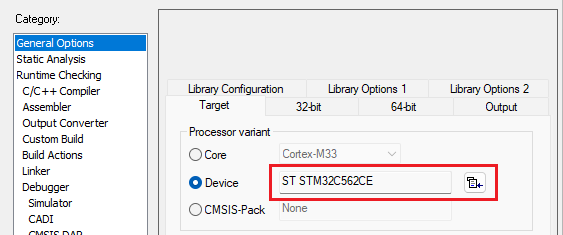
2. Update device selection in the IDE project 
Select the appropriate device from the IDE’s database to ensure correct configuration in your project.
For a detailed demonstration on updating the device selection in the IDE project.
3. Update Linker, startup and configuration files 
Update
stm32h563xx_flash.icf,startup_stm32h563zitx.s,system_stm32h5xx.candstm32h5xx_conf.h
Replace the current linker file in your project with the stm32c562xe_flash.icf linker file.

Replace the current startup file in your project with the startup_stm32c562xx.c startup file from the generated project using STM32CubeMX2 .
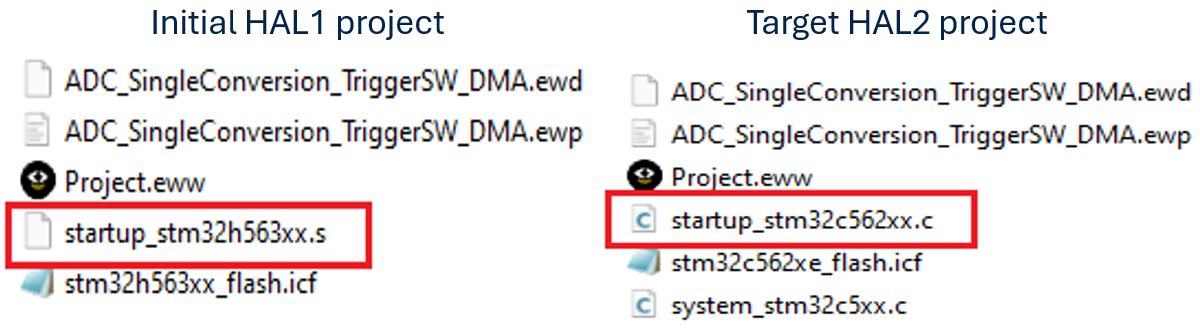
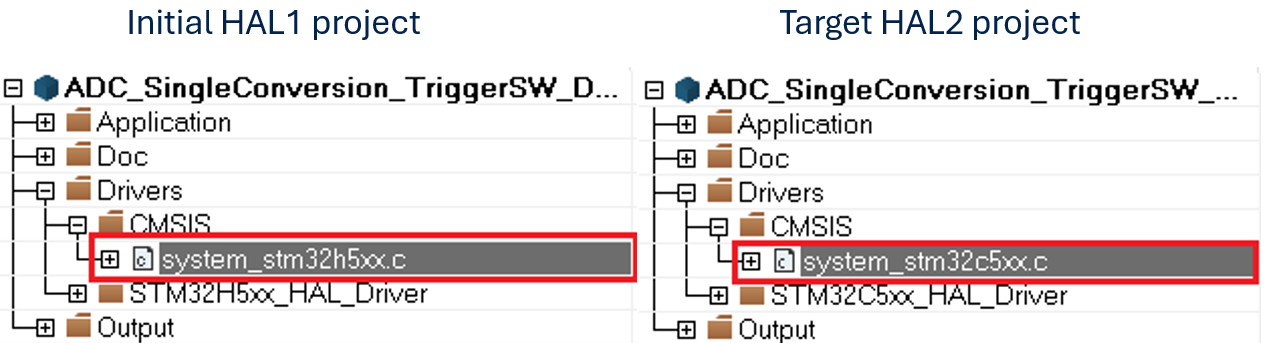
Replace the current system file in your project with the system_stm32c5xx.c system file from the generated project using STM32CubeMX2 .
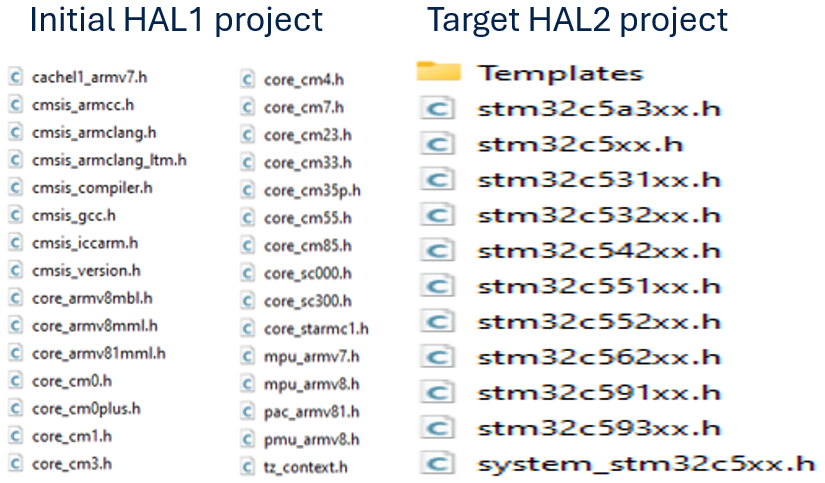
Replace the current CMSIS core files in your project with the CMSIS core files from the generated project using STM32CubeMX2 .
Replace the current configuration file in your project with the stm32c5xx_hal_conf.h configuration file from the generated project using STM32CubeMX2 .
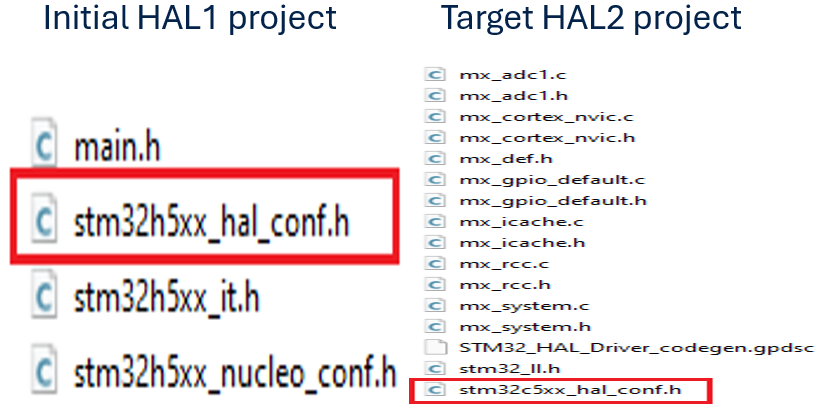
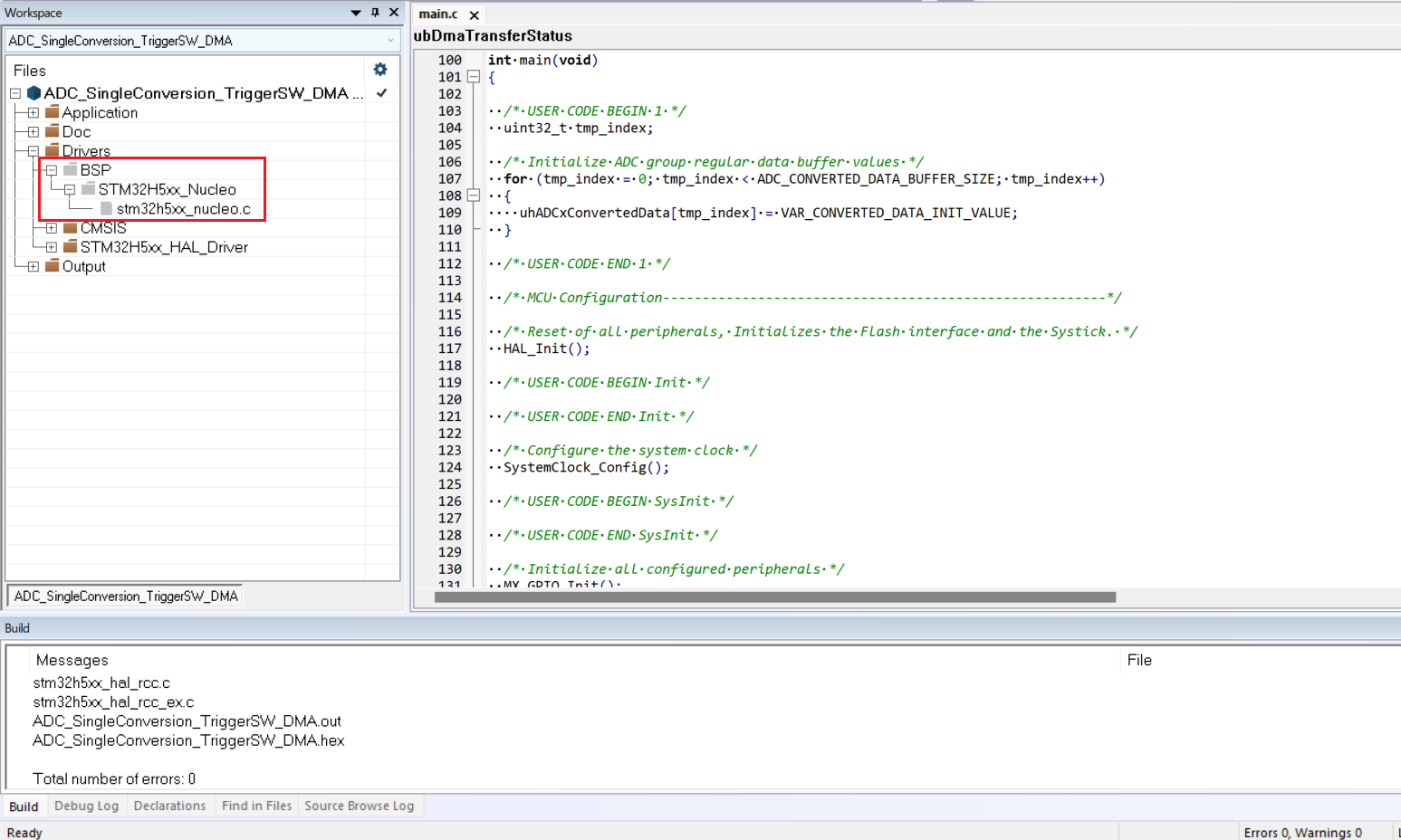
Exclude BSP and MSP folders from the project
For more details, refer to Generated Linker, startup, system, hal conf, external env files and drivers
Note
Replace #include
stm32h5xx_hal.hwith #includestm32_hal.has specified in Central HAL include file addedRemove #include
stm32h5xx_nucleo.hfrom main.h
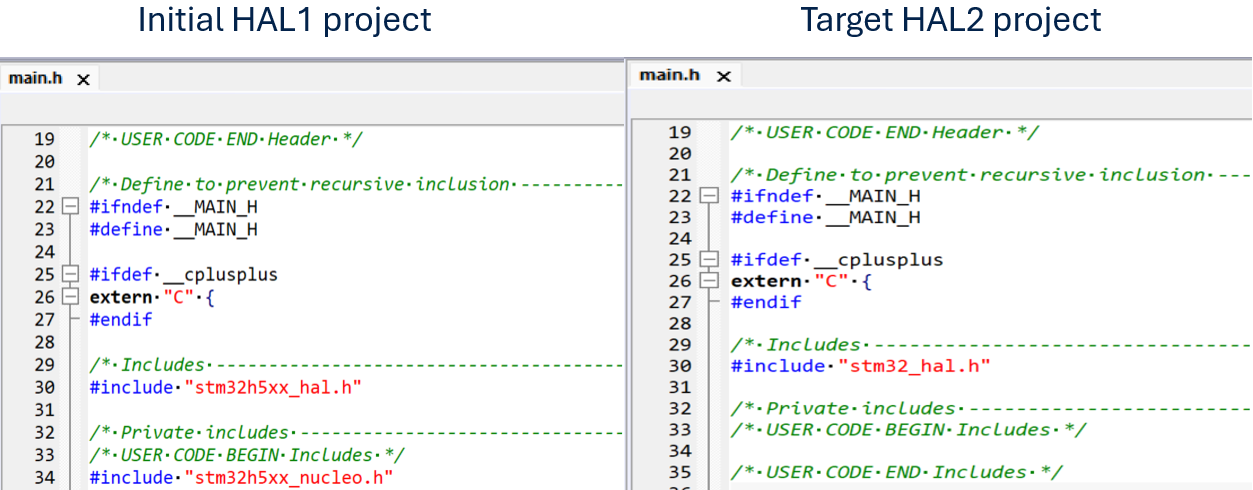
4. Update drivers inclusion path in the IDE project 
Update the necessary driver includes in your project directory.
|
Initial HAL1 project |
Target HAL2 project |
|---|---|
$PROJ_DIR$/../../../../../../Drivers/STM32H5xx_HAL_Driver/Inc


$PROJ_DIR$/../../../../../../Drivers/STM32H5xx_HAL_Driver/Inc/Legacy

$PROJ_DIR$/../../../../../../Drivers/CMSIS/Include
|
$PROJ_DIR$/../../../../../stm32c5xx_drivers/hal
$PROJ_DIR$/../../../../../stm32c5xx_drivers/ll

Removed; there is no stm32_hal_legacy.h file in HAL2.

$PROJ_DIR$/../../../../../CMSIS/Core/Include

// New include paths have been added in HAL2
$PROJ_DIR$/../../../../../stm32c5xx_dfp/Include

$PROJ_DIR$/../../../../../Core/Src/generated/hal

$PROJ_DIR$/../../../../../Core/Src/generated/hal/stm32_external_env.h

$PROJ_DIR$/../../../../../Core/Inc
|
5. Update drivers source files selection in the IDE project 
Update the necessary driver source files in the IDE project with the ones generated by STM32CubeMX2.
Update drivers source files 
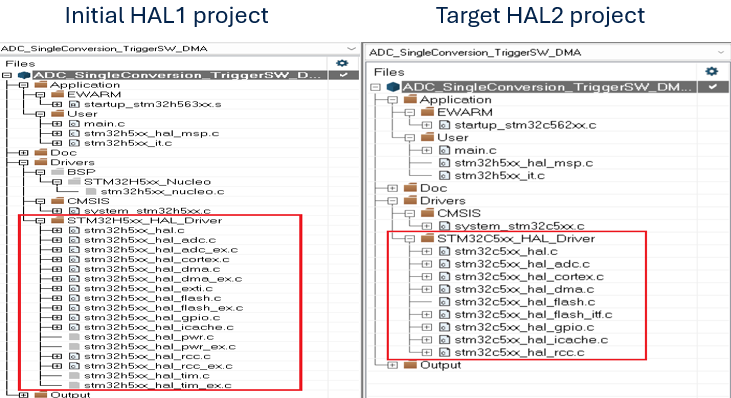
Replace the stm32h5xx files with stm32c5xx files and ensure both header (.h) and source (.c) files are updated.
|
Module |
Initial project |
Migrated project |
|---|---|---|
|
GENERIC |
stm32h5xx_hal_def.h stm32h5xx_hal_conf.h stm32h5xx_hal.h stm32h5xx_hal.c |
stm32c5xx_hal_def.h stm32c5xx_hal_conf.h stm32c5xx_hal.h stm32c5xx_hal.c stm32_assert.h stm32c5xx_hal_dbgmcu.h stm32c5xx_hal_dbgmcu.c stm32c5xx_hal_sbs.h stm32c5xx_hal_sbs.c |
|
CORTEX |
stm32h5xx_hal_cortex.h stm32h5xx_hal_cortex.c
|
stm32c5xx_hal_cortex.h stm32c5xx_hal_cortex.c |
|
GPIO |
stm32h5xx_hal_gpio.h stm32h5xx_hal_gpio.c stm32h5xx_ll_gpio.h stm32h5xx_ll_lpgpio.h stm32h5xx_hal_gpio_ex.h
|
stm32c5xx_hal_gpio.h stm32c5xx_hal_gpio.c stm32c5xx_ll_gpio.h stm32c5xx_ll_lpgpio.h |
|
RCC |
stm32h5xx_hal_rcc.h stm32h5xx_hal_rcc.c stm32h5xx_ll_rcc.h stm32h5xx_hal_rcc_ex.h stm32h5xx_hal_rcc_ex.c
|
stm32c5xx_hal_rcc.h stm32c5xx_hal_rcc.c stm32c5xx_ll_rcc.h |
|
DMA |
stm32h5xx_hal_dma.h stm32h5xx_hal_dma.c stm32h5xx_ll_dma.h stm32h5xx_hal_dma_ex.c stm32h5xx_hal_dma_ex.h
|
stm32c5xx_hal_dma.h stm32c5xx_hal_dma.c stm32c5xx_ll_dma.h |
|
ICACHE |
stm32h5xx_hal_icache.h stm32h5xx_hal_icache.c stm32h5xx_ll_icache.h
|
stm32c5xx_hal_icache.h stm32c5xx_hal_icache.c stm32c5xx_ll_icache.h |
|
ADC |
stm32h5xx_hal_adc.h stm32h5xx_hal_adc.c stm32h5xx_ll_adc.h stm32h5xx_hal_adc_ex.h stm32h5xx_hal_adc_ex.c
|
stm32c5xx_hal_adc.h stm32c5xx_hal_adc.c stm32c5xx_ll_adc.h |
|
FLASH |
stm32h5xxx_hal_flash.h stm32h5xxx_hal_flash.c stm32h5xxx_hal_flash_ex.h stm32h5xxx_hal_flash_ex.c |
stm32c5xx_hal_flash.h stm32c5xx_hal_flash.c stm32c5xx_ll_flash.c stm32c5xx_hal_flash_itf.c stm32c5xx_hal_flash_itf.h |
For more details, refer to Generated Linker, startup, system, hal conf, external env files and drivers
Important
The items highlighted in
Inline codehave been removed from HAL2 and all extended HAL files are merged inside the corresponding HAL files.The items marked in Bold have been added to HAL2.
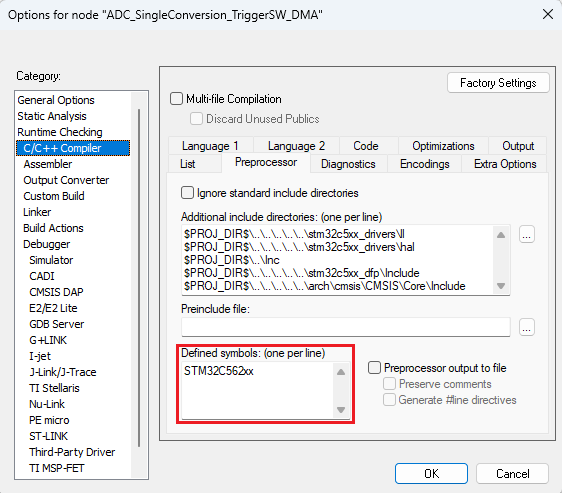
6. Update Pre-Processor Defines for drivers in the IDE project 
Update pre-processor defines and keep STM32C562xx as pre-processor defines in generated project.
Next step: Execute the automatic detection script