
 HAL2 Migrator

Script scope 
The script aims to assist users in migrating their projects from the HAL1 environment to the HAL2 environment. Based on the command-line arguments provided, it detects all HAL1 APIs within the specified path. Upon detection, the script generates comprehensive log files. These logs serve as a detailed guide to assist users in migrating the identified HAL1 API code to the HAL2 environment.
HAL1 API detection scope 
The script uses an internally defined database dictionary to perform an in-depth analysis of the project. It identifies all occurrences of HAL1 calls and HAL1 implementations, such as callbacks. Refer to Script execution for more details.
Note
The script can filter out STMicroelectronics driver files (HAL, LL, and BSP), which are automatically excluded from the detection process. Only HAL1 APIs in the user application files are identified.
HAL1 API logging scope 
Console log 
Upon execution, the script provides comprehensive status updates through the console log. This includes detailed information on the overall progress of the operation. Additionally, the log displays specific messages regarding errors, missing libraries (for Python execution), and other relevant status notifications.

|
Item |
Description |
|---|---|
|
Files analyzed |
Total source files scanned. |
|
Progress |
Real-time completion indicator. |
|
Files detected |
Number of files with HAL1 APIs. |
|
Log file |
Path to the detailed HTML report. |
|
Execution time |
Total duration of the process. |
|
Status |
Confirms successful completion. |
File logs 
The generated log files act as a guide for API migrations, providing detailed information about the detected APIs and providing links to relevant documentation.
The script generates two types of logs, both serving the same purpose. Users can choose the log format they find most user-friendly and suited to their preferences.
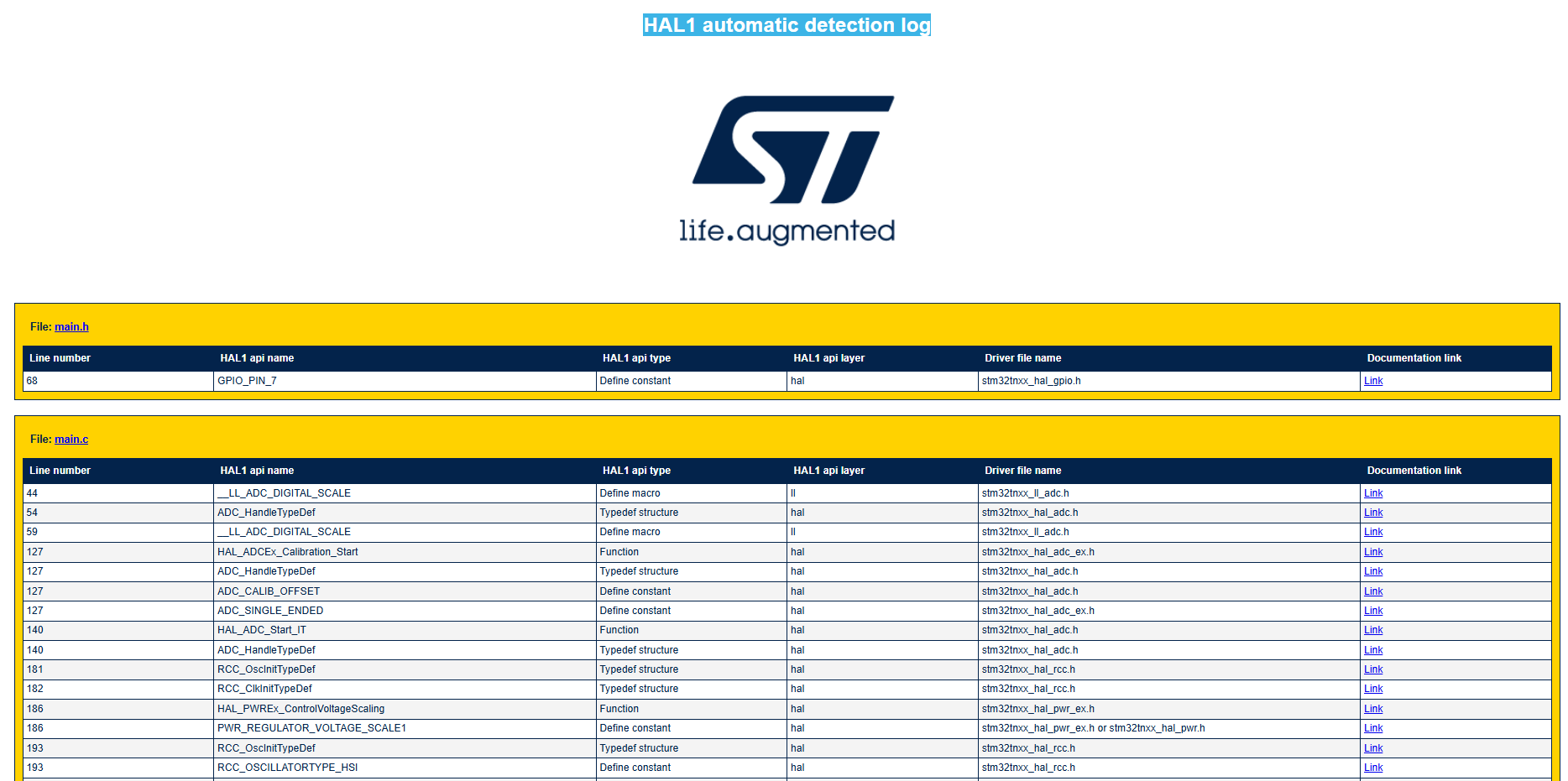
Global HTML log file 
The script generates a global HTML log file that, containing an exhaustive list of the detected HAL1 APIs, grouped by application file.
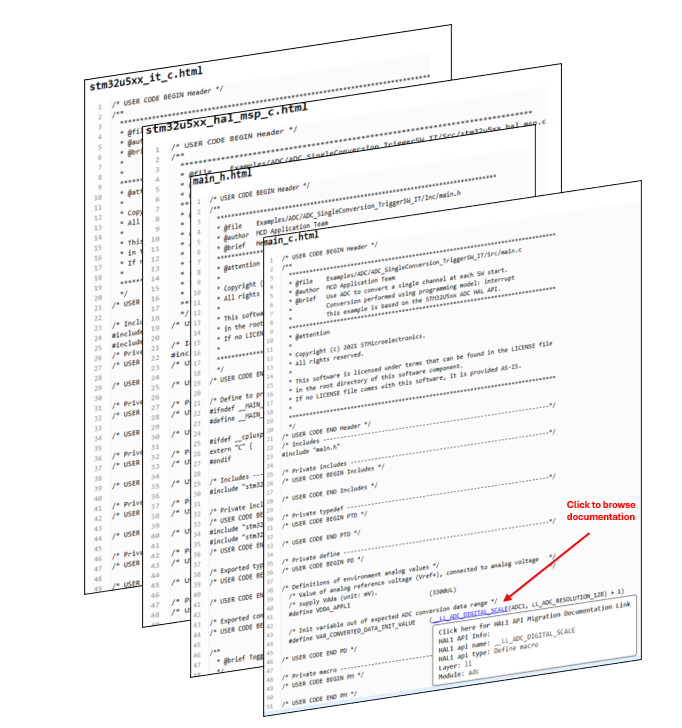
User code log 
The HTML log that is generated for each processed file show the application code with all detected HAL1 API references clearly highlighted.
Each API occurrence is rendered as a clickable link, directing users to the relevant section of the HAL1-to-HAL2 migration documentation.
For more details about log file configurations, refer to Log file message configuration. For more details about log file usage, refer to Log file use section.