
 STM32CubeProgrammer

Compare flash memory with file 
Description: compares the MCU device memory content with a binary, hex, srec, elf, out, or axf file. The difference is shown in red in the file and in the flash memory panel.
The user can open the comparison window from different sub-menus.
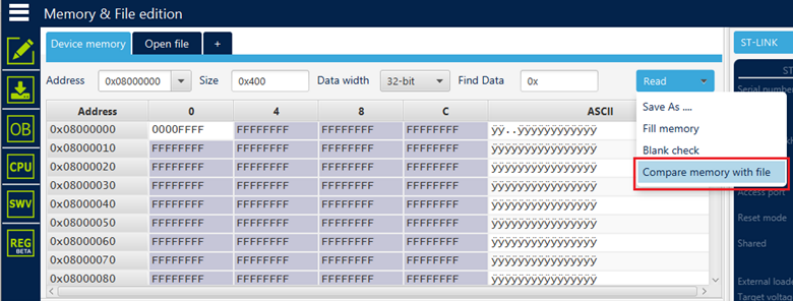
Fig. 68 Sub-menu displayed from Read combo-box 
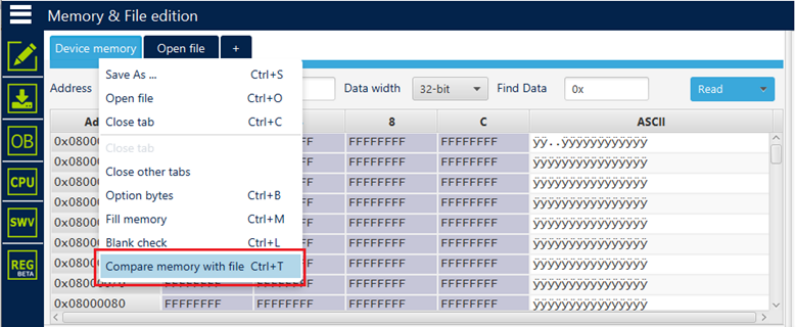
Fig. 69 Sub-menu displayed with right click on Device memory tab 
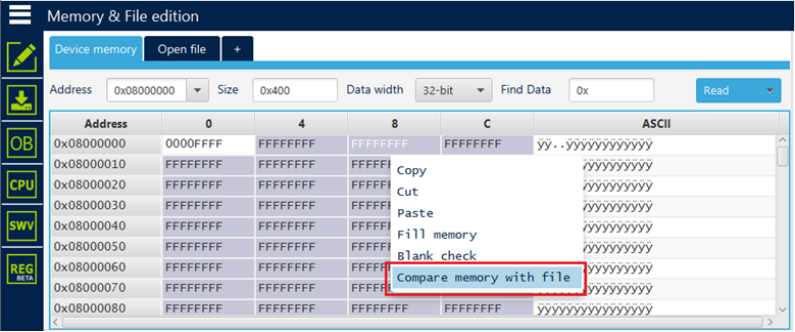
Fig. 70 Sub-menu displayed with right click on the cell of grid 
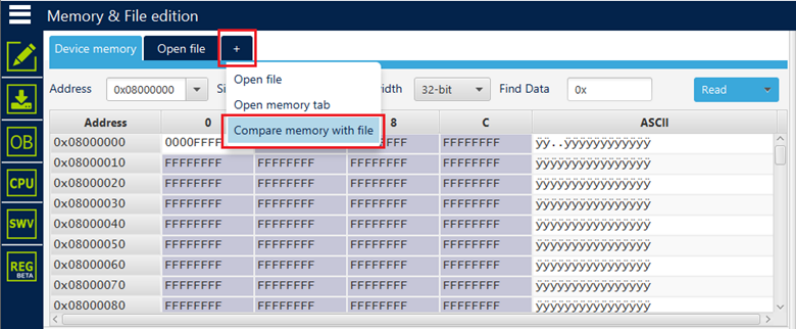
Fig. 71 Sub-menu displayed with add tab button 
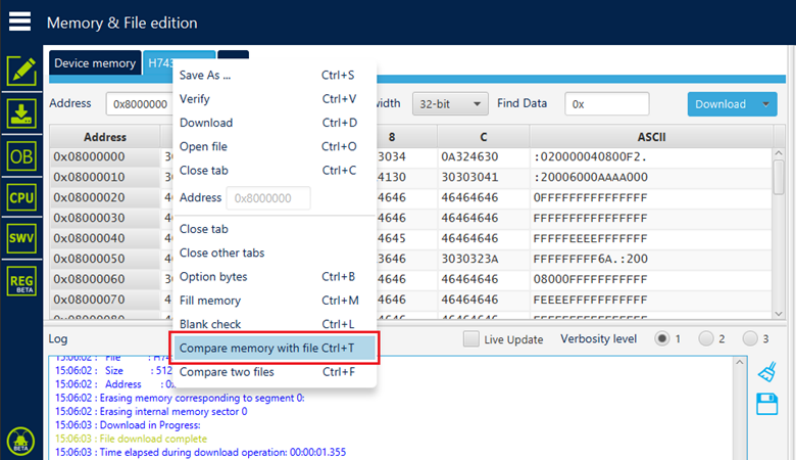
Fig. 72 Sub-menu displayed with right click on the opened file tab 
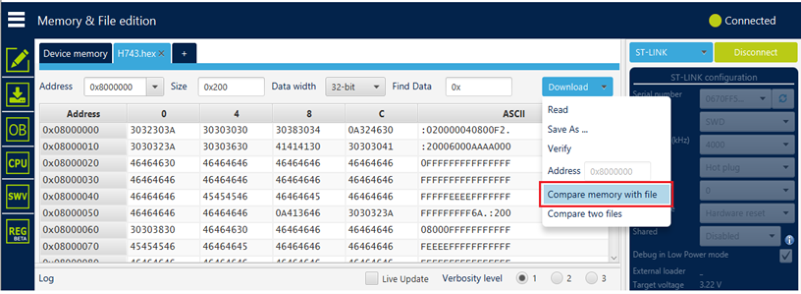
Fig. 73 Sub-menu displayed from Download combo-box displayed in file tab 
Note
In addition to sub-menus to display this window, the user can launch the operation directly by using the key combination Ctrl+T.
Example 1: Difference between internal flash memory and binary file 
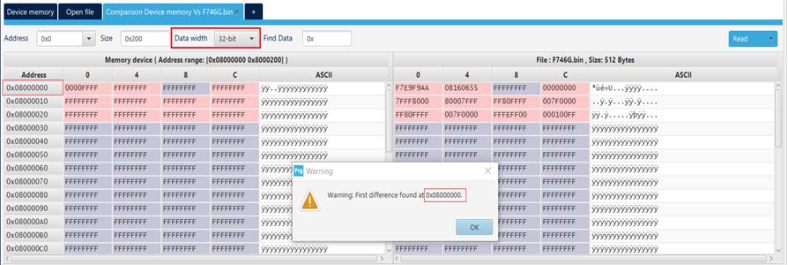
Fig. 74 Data width: 32 bits 
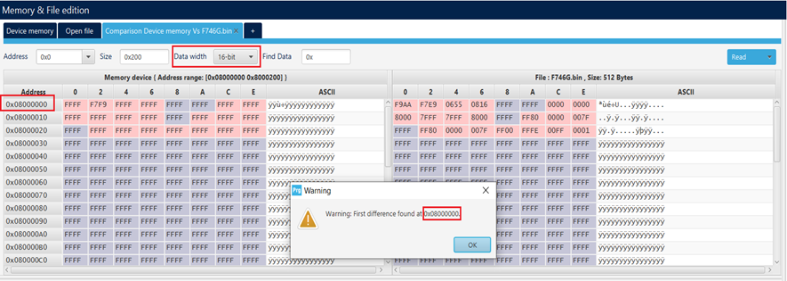
Fig. 75 Data width: 16 bits 
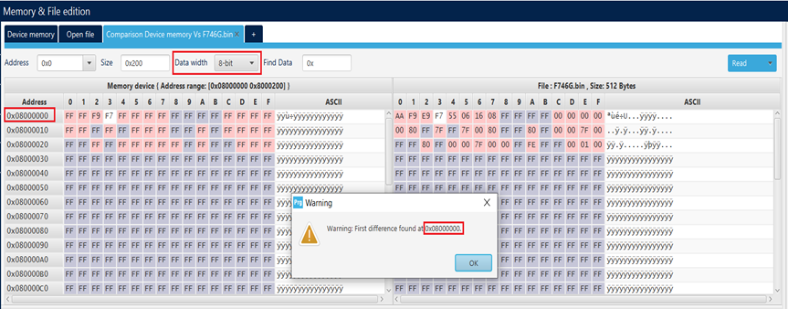
Fig. 76 Data width: 8 bits 
Example 2: Difference between external flash memory and hex file 
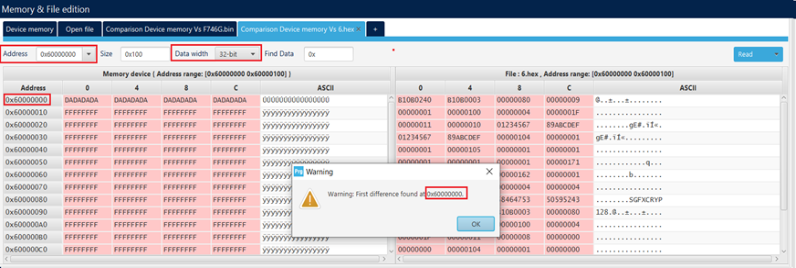
Fig. 77 Data width: 32 bits 
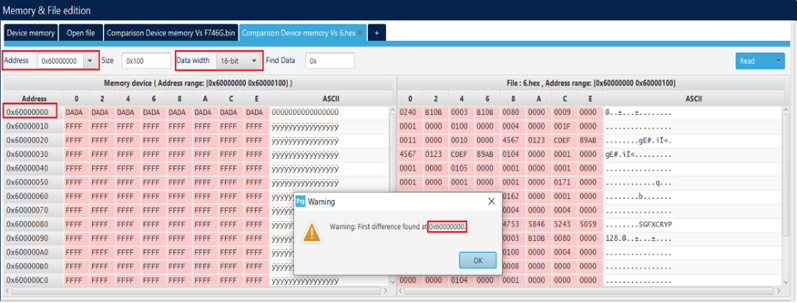
Fig. 78 Data width: 16 bits 
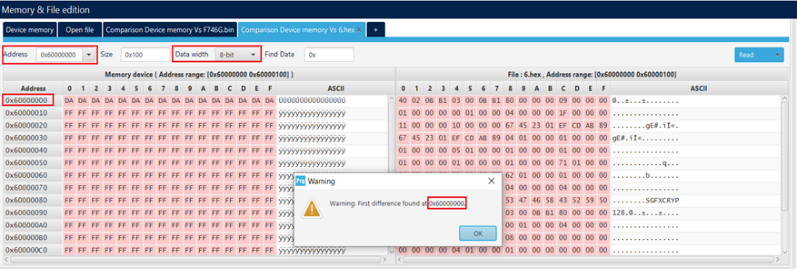
Fig. 79 Data width: 8 bits 
Example 3: Update comparison between flash memory and file after editing 
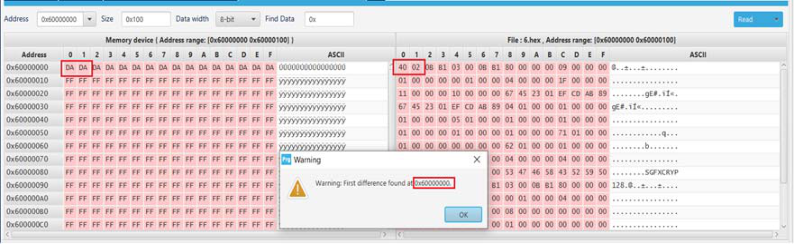
Fig. 80 Before editing the flash memory 
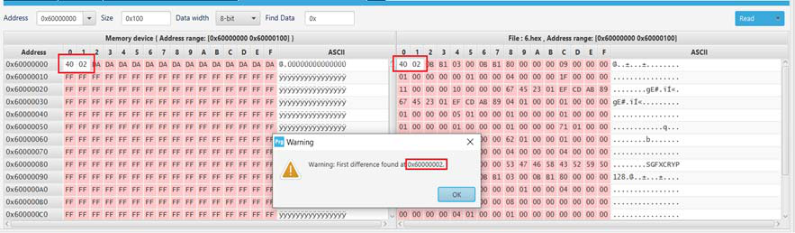
Fig. 81 After editing the flash memory 
After launching the comparison between the flash memory and file, and the edit of data in the memory, the user must make an update in the comparison tab using the read button.
Note
The user can make multiple comparisons between flash memory and files.

Fig. 82 Multiple comparisons 