
 STM32CubeProgrammer

Programming windows 
TSV programming window 
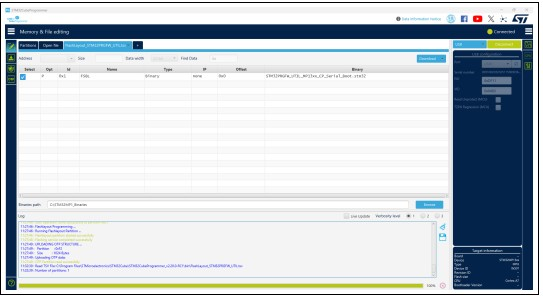
Fig. 94 TSV programming window 
To program TSV files the user must perform the following operations:
Open a TSV file by using the Open file tab. If the TSV file format is correct, the TSV content is displayed in the main window. TSV files are available in STM32MP1 Linux distributions. Refer to the STM32MP1 wiki for more details.
Specify the binaries path in the Binaries path text box.
Select the list of partitions to be programmed in the select column. By default, all partitions are selected.
Launch the download using the Download button.
For more details concerning flashing operations, refer to AN5275, available on www.st.com.