
 STM32CubeProgrammer

SigFox credentials 
As soon as an STM32WL device is connected, the window shown in the following figure is displayed. This window displays the chip certificate, having the size of 136 bytes. The user can save it in binary file and copy the data to the clipboard.
After extracting the chip certificate, a back-end web-service verifies the data and returns two SigFox credentials: binary and header files.
Case 1: Binary-Raw
Use the binary file returned by the back-end web-service. The size of this
file must be equal to 48 bytes. It is written at the default address
0x0803E500.
Case 2: Binary KMS
Use the header file returned by the back-end web-service. It is written at the
default address
0x0803E500.
Note
To access ST SigFox server using STM32CubeProgrammer, the user must click
on
Open


            Sigfox


            page
. A web page opens, and the user must manually copy
the certificate and then generate the SigFox credentials, binary and header
files.
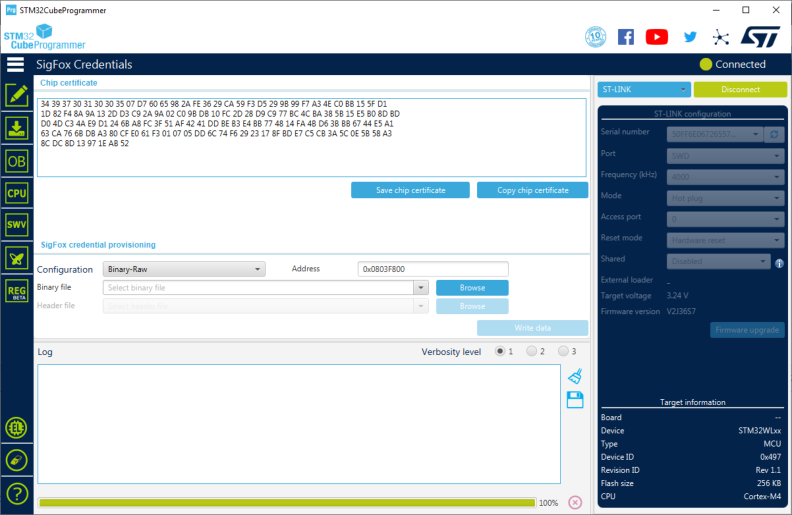
Fig. 53 SigFox credentials 